Trend Context
Structured views for understanding directional behavior across selected time horizons.

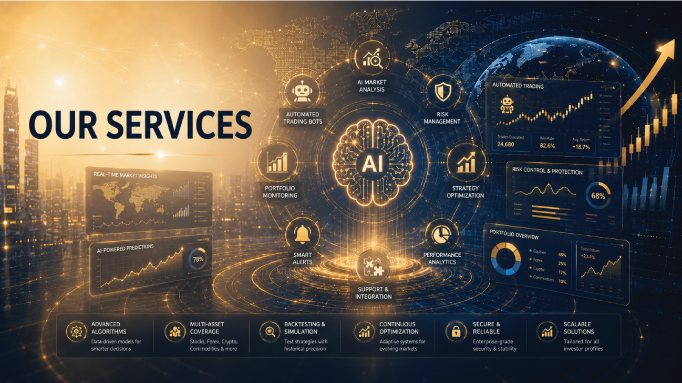
Nexa Pulse combines market intelligence, planning, monitoring, risk awareness, and performance review within a mobile-first AI trading platform.
AI-assisted market intelligence helps users study patterns across price behavior, volatility, momentum, and broader conditions. The objective is to improve research efficiency and consistency, not to present a guaranteed prediction.
Structured views for understanding directional behavior across selected time horizons.
Analytical observations that help users compare the strength and persistence of recent movement.
Clearer visibility into changing market intensity and the potential impact on execution risk.
Condensed information that helps users begin analysis without losing access to underlying details.
A strategy workspace supports disciplined thinking by keeping the thesis, conditions, risk boundary, and review notes together. This creates a clear record of why a decision was considered and how it was managed.
Record the market condition, logic, and evidence that support the idea.
Clarify what would make the original thesis no longer valid.
Document how the position should be monitored and what changes require attention.
Compare the original reasoning with the actual market behavior after the decision.
Risk controls are designed to help users think about exposure, position size, market uncertainty, and review conditions before taking action.
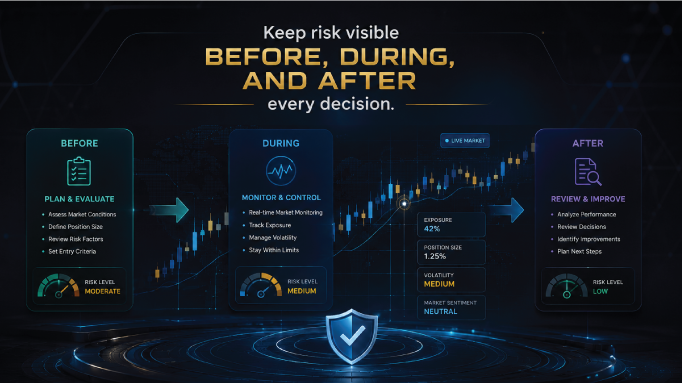
Understand how current positions contribute to total portfolio risk.
Review key assumptions and risk conditions before confirming an action.
Receive focused notifications when selected conditions or limits change.
Compare planned risk with the way the position was actually managed.
Portfolio monitoring brings relevant account and position information into one readable mobile dashboard so users can understand what is active and what requires review.
Focused alerts help users follow selected conditions, while reports create a clearer record of market observations, portfolio activity, and decision outcomes.
Notifications linked to selected changes, thresholds, or review points.
Readable records of actions, updates, and portfolio events across the platform.
Structured summaries that help users compare planning, execution, and outcomes.
Support resources are designed to help users understand platform features, account actions, risk language, and the intended role of AI-assisted tools.
Clear explanations of what each platform area does and how it fits into the broader workflow.
Help with access, profile, security, and other platform account matters.
Accessible explanations that clarify uncertainty, limitations, and user responsibility.
A contact path for suitable technology, data, and business collaboration discussions.
Review the FAQ for common questions or send a message through the contact page for product, support, or partnership enquiries.